Quotes, customers, invoices and payments
A dashboard for every job, a customer record behind every quote, and payment reminders that go out while Alumetric is running.
Quotes and the cart
- Quote dashboard listing every job with code, customer, site, phone, email, item count, total and supply or install flag
- Status pipeline: Pending, Approved, In Production and Completed, with live counts and colour coding
- Delivery countdown per quote: days left, due today, days late, delivered
- Search by customer, site address or email; sort newest or oldest; page through at 5 to 50 per page
- Start a new quote with customer autocomplete that pre-fills a returning customer's details
- Per-project toggles to include shop drawings and CAD files
- Clone a whole quote including all items and assets
- Convert a quote straight into an invoice
- Cart of items per quote: edit, replace the system, quick-edit name, reference, quantity, unit price and note, swap item numbers, change the image, delete
- Bulk action: apply colour, glass, reveal, sub-head, sub-sill, angle, fly screen, shop drawing or CAD to every item and regenerate
Customers
- Customer records with multiple addresses and contacts, notes, archive and unarchive, and search
- Customer detail with quote count, total invoiced, outstanding balance and last activity
- Activity timeline: created, quotation emailed, invoice emailed, receipt emailed, reminder emailed, plus your own notes
Invoices and payments
- Invoice list with All, Paid, Unpaid, Overdue and Partial filters, an outstanding total, sort by date or amount, and paging
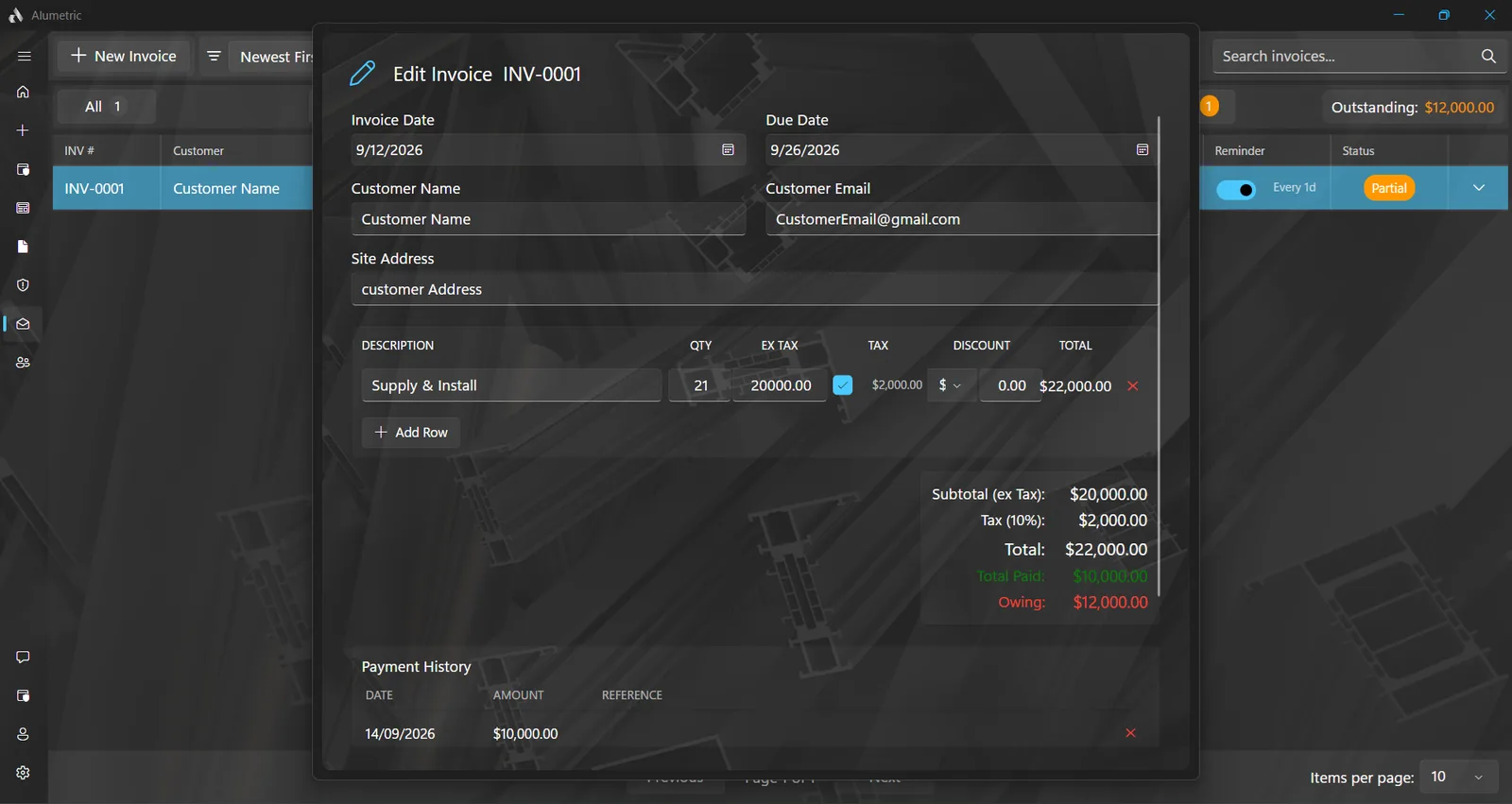
- Invoice editor: dates, customer, line items with quantity and ex-tax amount, per-line GST toggle, dollar or percentage discount
- Record partial or full payments with date and reference, with an optional payment-receipt email carrying the updated PDF
- Payment reminders emailed every 3, 7, 14 or a custom number of days until paid, switching off on payment; reminders go out while Alumetric is running
- Custom starting numbers for quotes and invoices, for moving across from other software
- Company details on every document: logo, ABN or ACN, licence number, director, address, phone, email, website, bank, BSB and account, a drawn or uploaded signature, tax rate and currency code
Related: Documents, AI assistant, Local, LAN & Cloud
Related articles