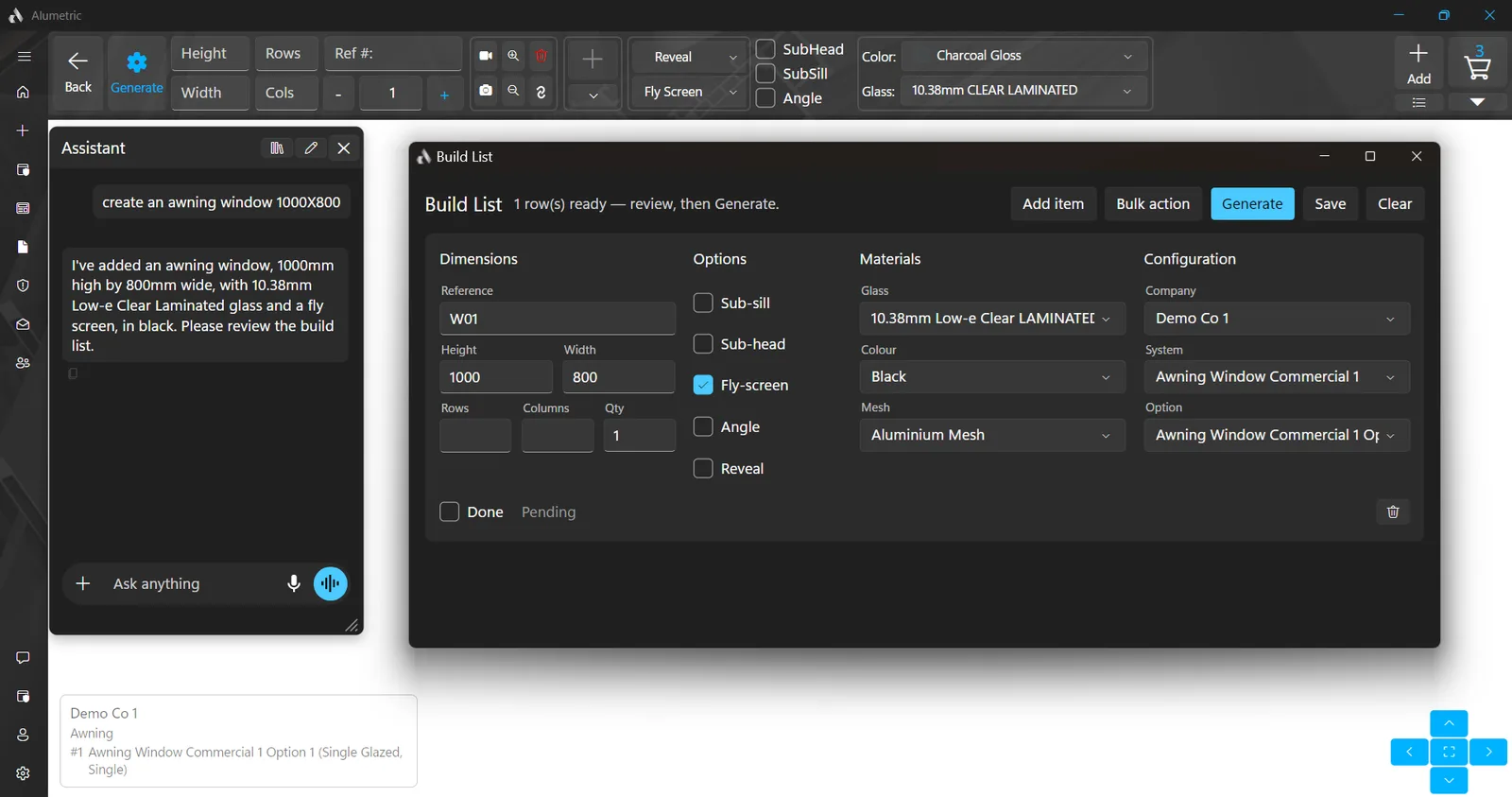
An assistant that reads your window schedule
Chat on every page, upload a plan or schedule, and let the assistant fill the build list; unclear values are flagged for you to confirm.
From a plan to a quote
- Upload a window and door schedule or a site plan as a PDF or image; every item lands in the Build List
- Unclear values are flagged for you to confirm, and problems are summarised by kind
- The assistant does not substitute a product you do not own; it tells you what to add to your catalogue instead
- Build List: a reviewable grid with one row per item covering company, system, option, height, width, rows, columns, quantity, reference, glass, colour, reveal, mesh, sub-sill, sub-head and fly screen; Generate builds them all
Working by chat or voice
- Navigate anywhere, open help topics and explain any feature from the built-in knowledge base
- Create a project, look up a customer, and list, filter, open, edit, clone, export or import quotes
- Edit items, resize grid lines, slope columns, generate, save or cancel an edit
- Control the cart: open and close it, per-item actions, quick edit, bulk apply
- Control documents: open them, set quotation options, discount, price override, note and shipping, send, save, print, preview, export CAD, edit the sheets
- Full invoice control: list, create, edit, assign a payment, open the PDF, set the due amount shown
- Create and edit glazing certificates by text or voice
- Ask about your catalogue: which companies you have, which systems a company offers, which glass types are loaded
- Push-to-talk voice messages, transcribed to text
Memory and limits
- Long-term memory of your preferences, rules and terminology across chats, with a What I Remember panel to view, pin, delete or forget everything
- Deleting a quote stays a manual step; the assistant will not do it for you
Related: Quotes & invoicing, 3D design, Catalogues